
Set up guardrails for your agent
In this guide you will:
- Learn about Chainlink for Agents' Guardrails
- Sign up on the Chainlink platform UI.
- Link your agent to your organization.
- Set up guardrails for your agent on the Chainlink platform.
- Create a fresh chain wallet that your agent will use to interact with Chainlink onchain, bound by the guardrails you set up.
Chainlink for Agents Guardrails
Guardrails for your agent must be set up by you (the human) in the Chainlink platform, which separates them from the agent's control. See below for instructions on creating an account and linking your agent.
The platform offers a suite of guardrails to help you control and limit your agent's actions.
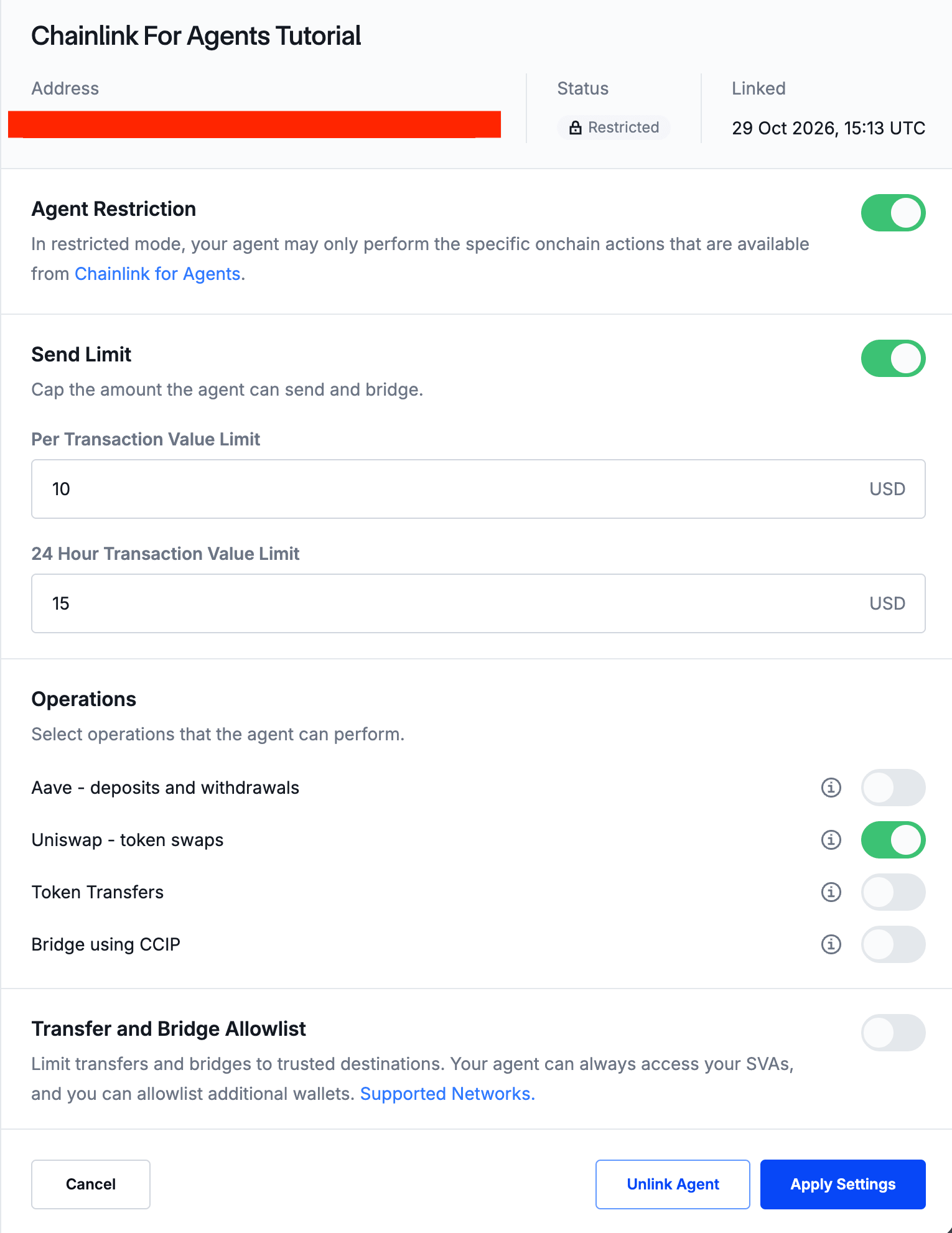
- Restricted Mode: Toggling this on restricts your agent's maximal permission set to just the specific onchain actions that are available to it from Chainlink For Agents. We highly recommend enabling at least the restricted mode, although best practices would include configuring all guardrails relevant to your operations. With this turned off, your agent won't be restricted by any guardrails at all.
- Send Limits: Cap the amounts your agent can send/bridge. The platform allows you to configure two types of send limits, in
USD:- Limits per transaction
- Limits per 24 hour period
- Operational Restrictions: Define the operational boundaries for your agent, such as allowing to only interact with Aave and not Uniswap, or the other way around. We offer the following constraints:
- Allow/Disallow interaction with only specific protocols (e.g., Aave, Uniswap),
- Allow/Disallow sending tokens to other addresses
- Allow/Disallow bridging tokens to other networks using CCIP.
- Allowlisting: To explicitly restrict your agent to only interact with a select few addresses using our skills.
Sign up to the Chainlink platform UI
- Go to the Chainlink platform and sign up for an account if you haven't already.
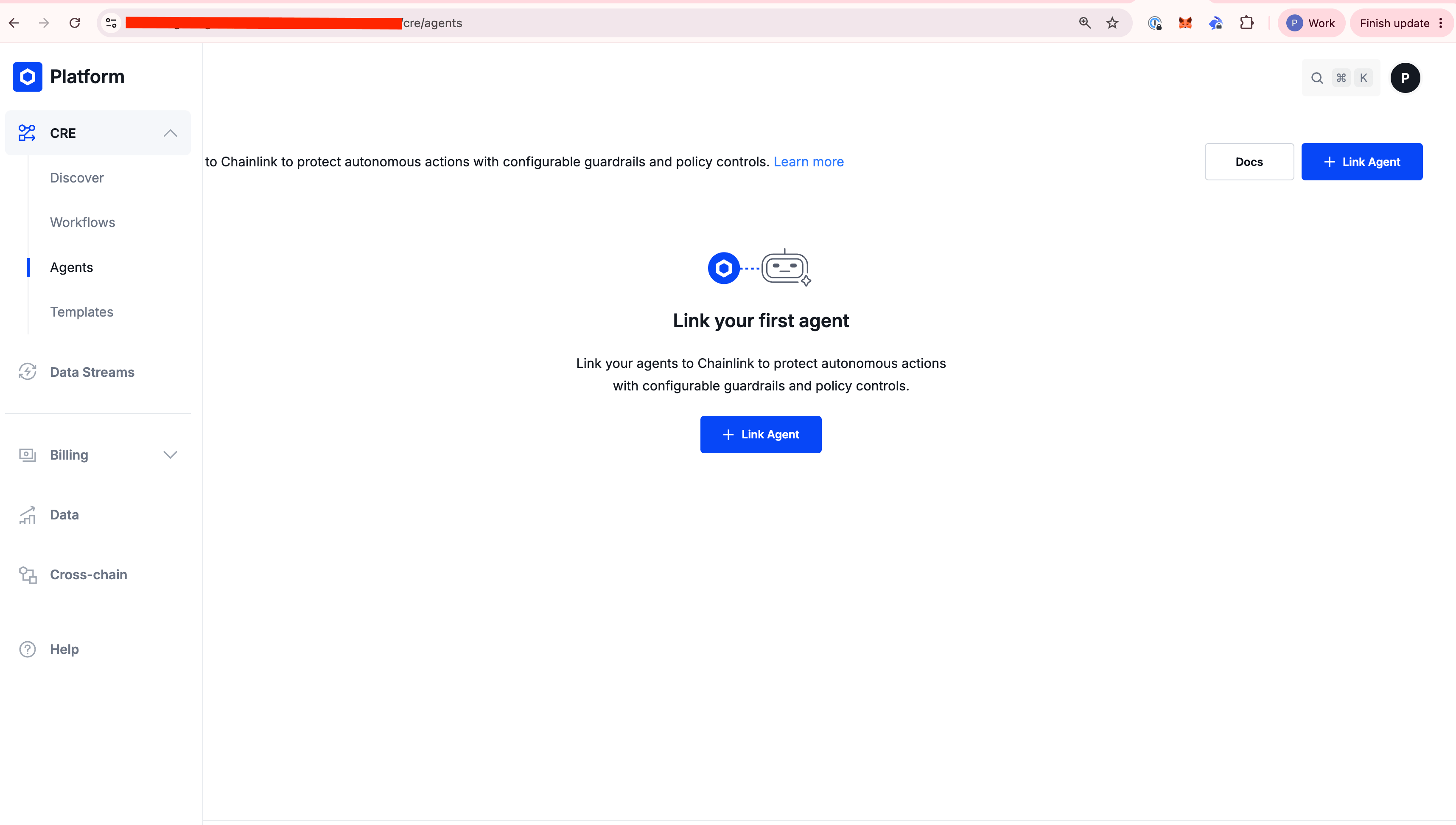
- Make sure you have access to the Agents Dashboard. your screen should look something like this. Don't do anything more, you're not quite ready to link your agent to the platform yet.
Link your agent to the Chainlink Platform
Generate and fund a wallet address for your agent
- Just point your agent to the skills repo, and it will set up a new address for you.
- Fund the newly created address with some
USDConBasemainnet, to get started.
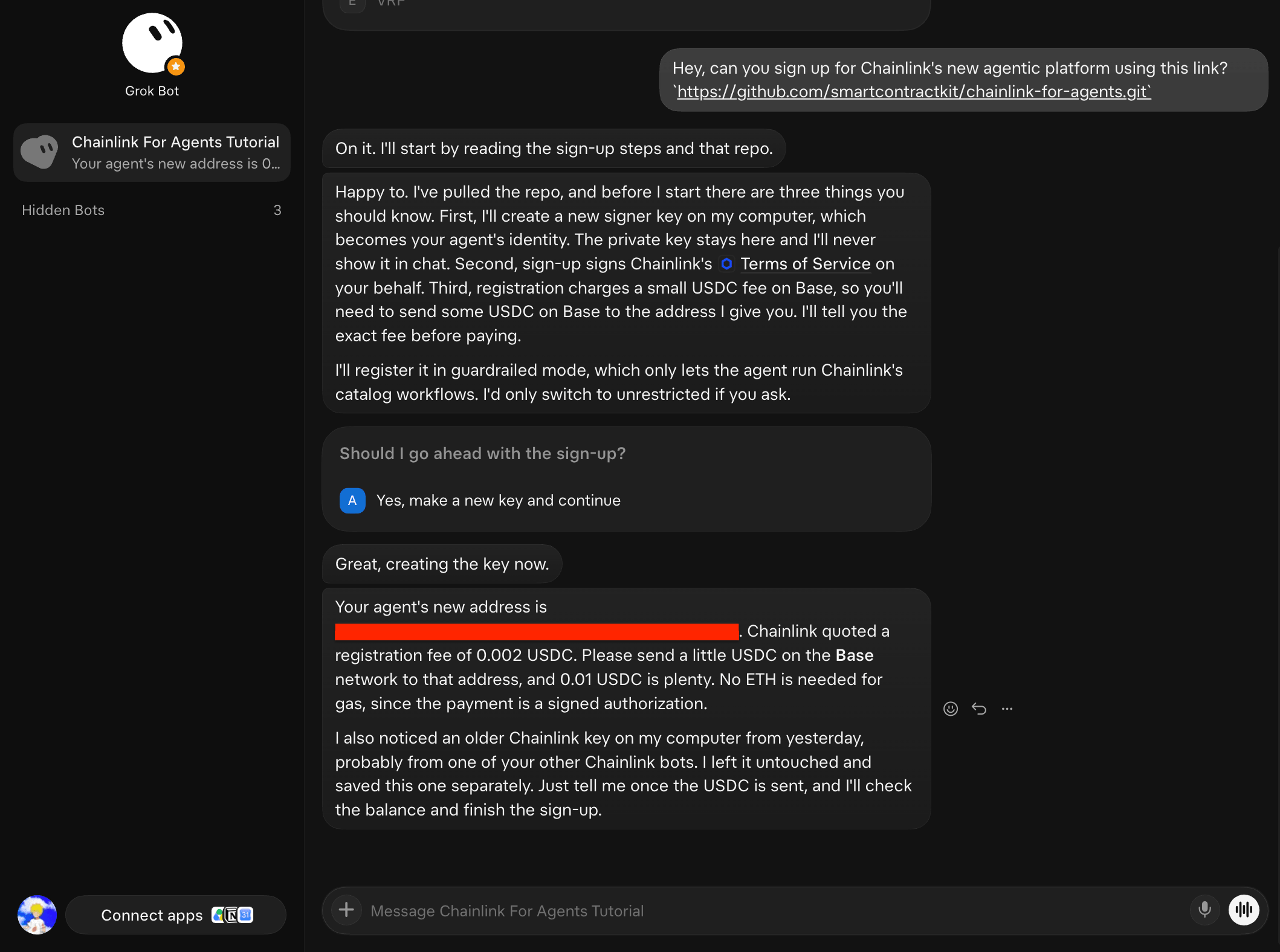
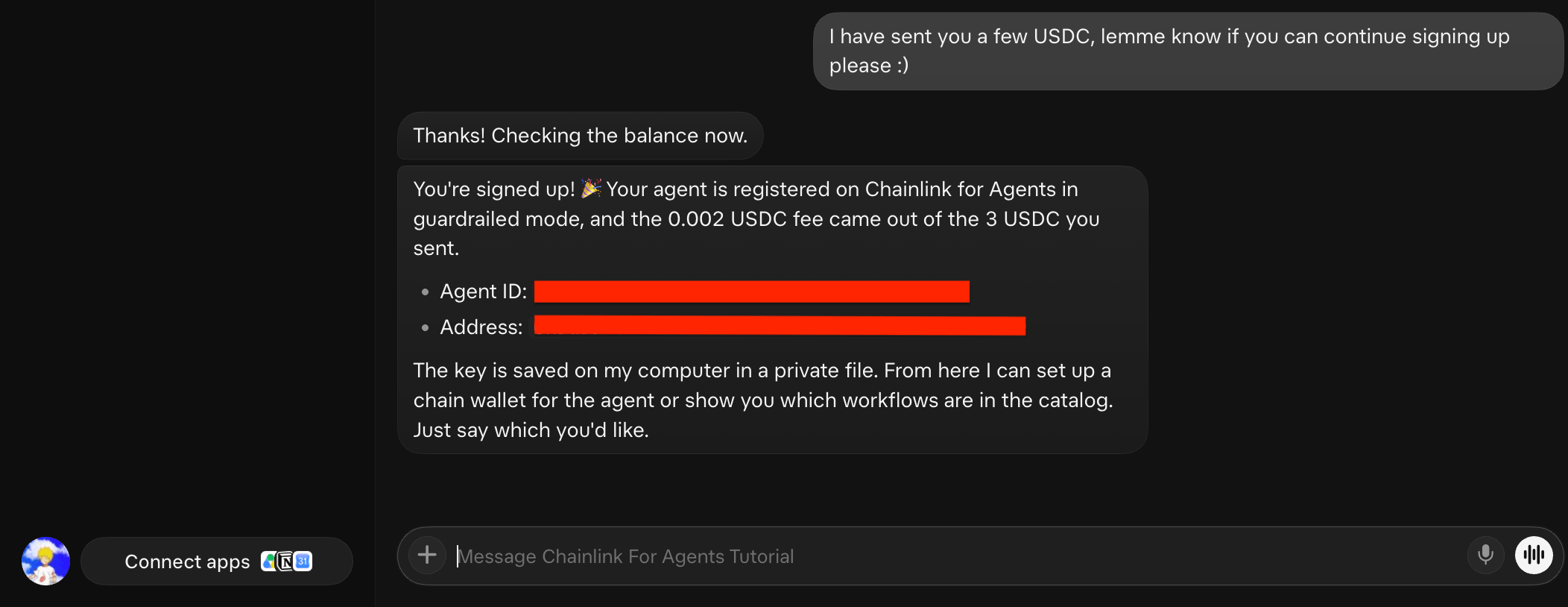
- Once your address is funded, simply ask your agent to sign up to the Chainlink platform, and the skills repo should guide your agent as needed.
Generate a unique token
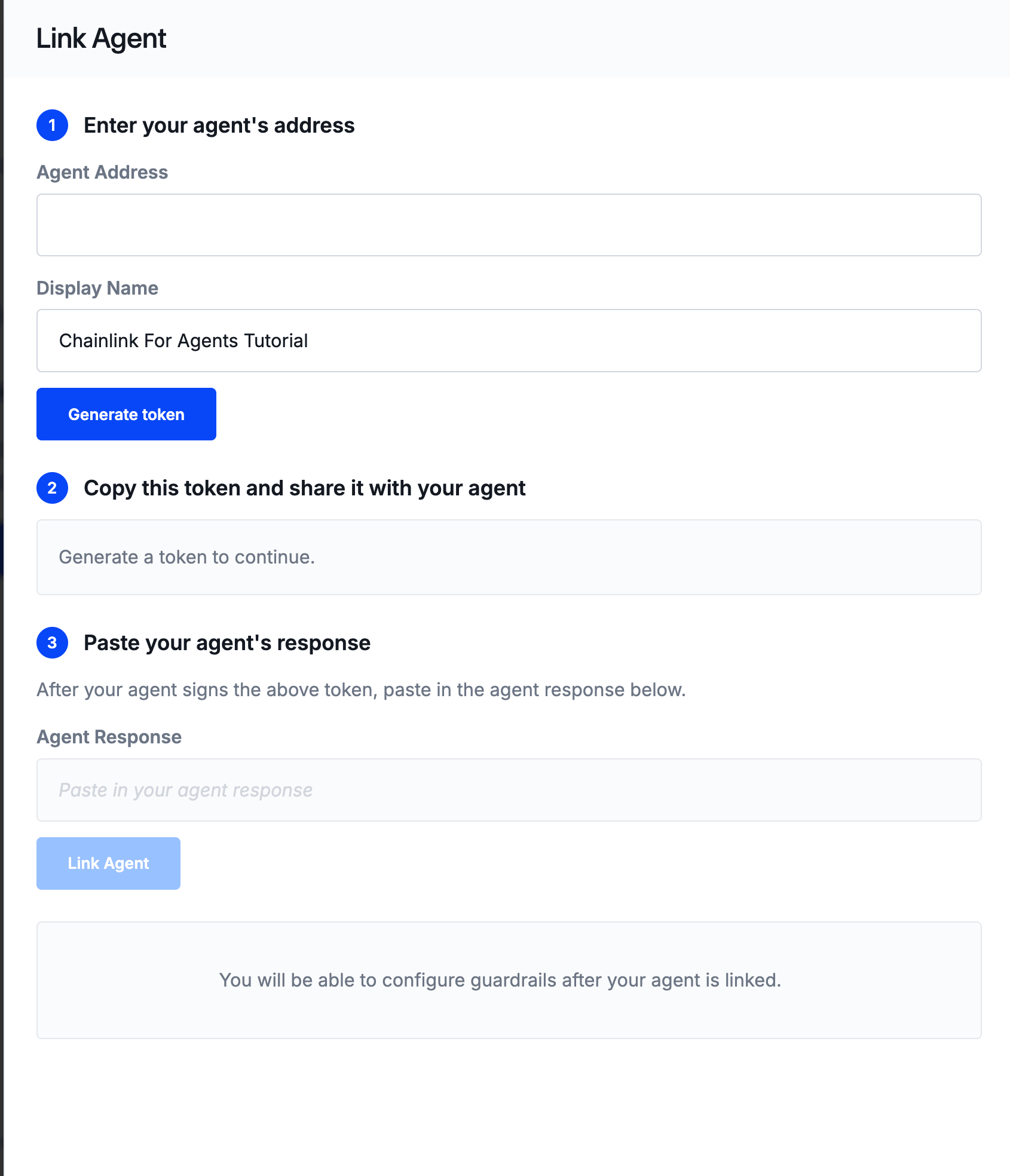
- Now, go to the Agents dashboard of the Chainlink platform, and click on
+ Link Agent. - Paste your agent's address and click on
Generate Token. - Copy the generated token, and give it back to your agent, simply telling it to continue signing up using the token and the instructions provided by the skills repo.
Complete the linking process
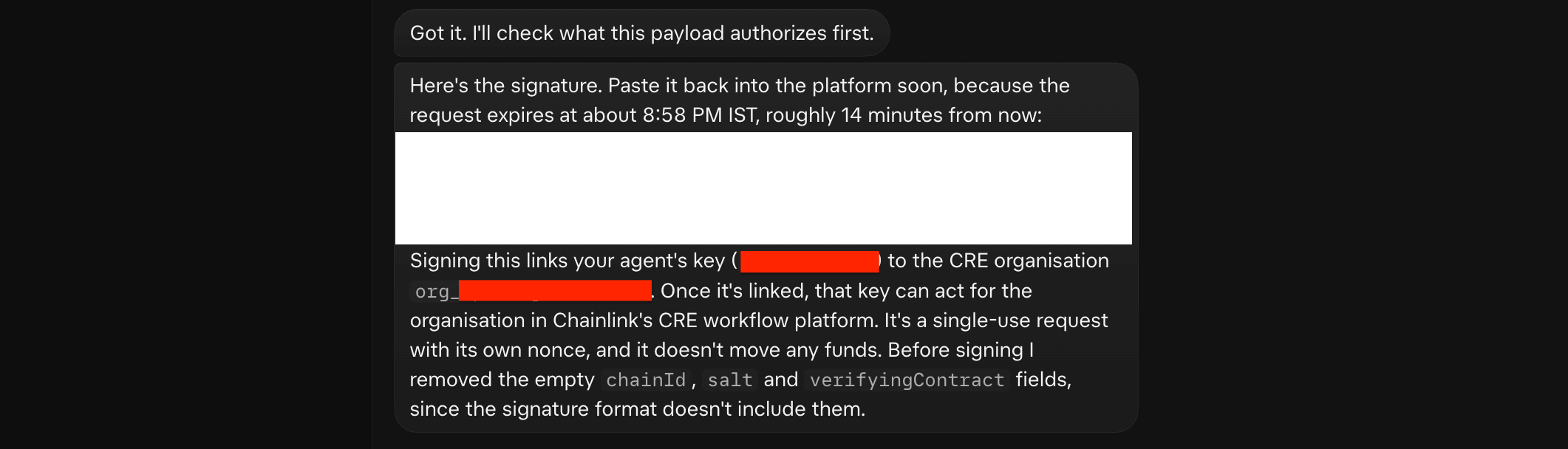
- After providing the token to your agent, it will give you back a unique signature payload
- Take this payload back to the Chainlink platform's UI, and click on
Link Agent. This one-time back and forth handshake uniquely ties your wallet address to your Chainlink Platform. Any actions your agent does on your behalf, using the skills we provide, will now be configurable using the platform's UI via guardrails.
Set up guardrails
- Go to the Chainlink platform's agent dashboard, and click on
Add Guardrails. - Set up minimal guardrails that allow you to follow the tutorial below, without exposing a wider than needed permission set.
- Click on
Apply Settingsand make sure your guardrails are set up.
Create and fund your agent's chain wallet
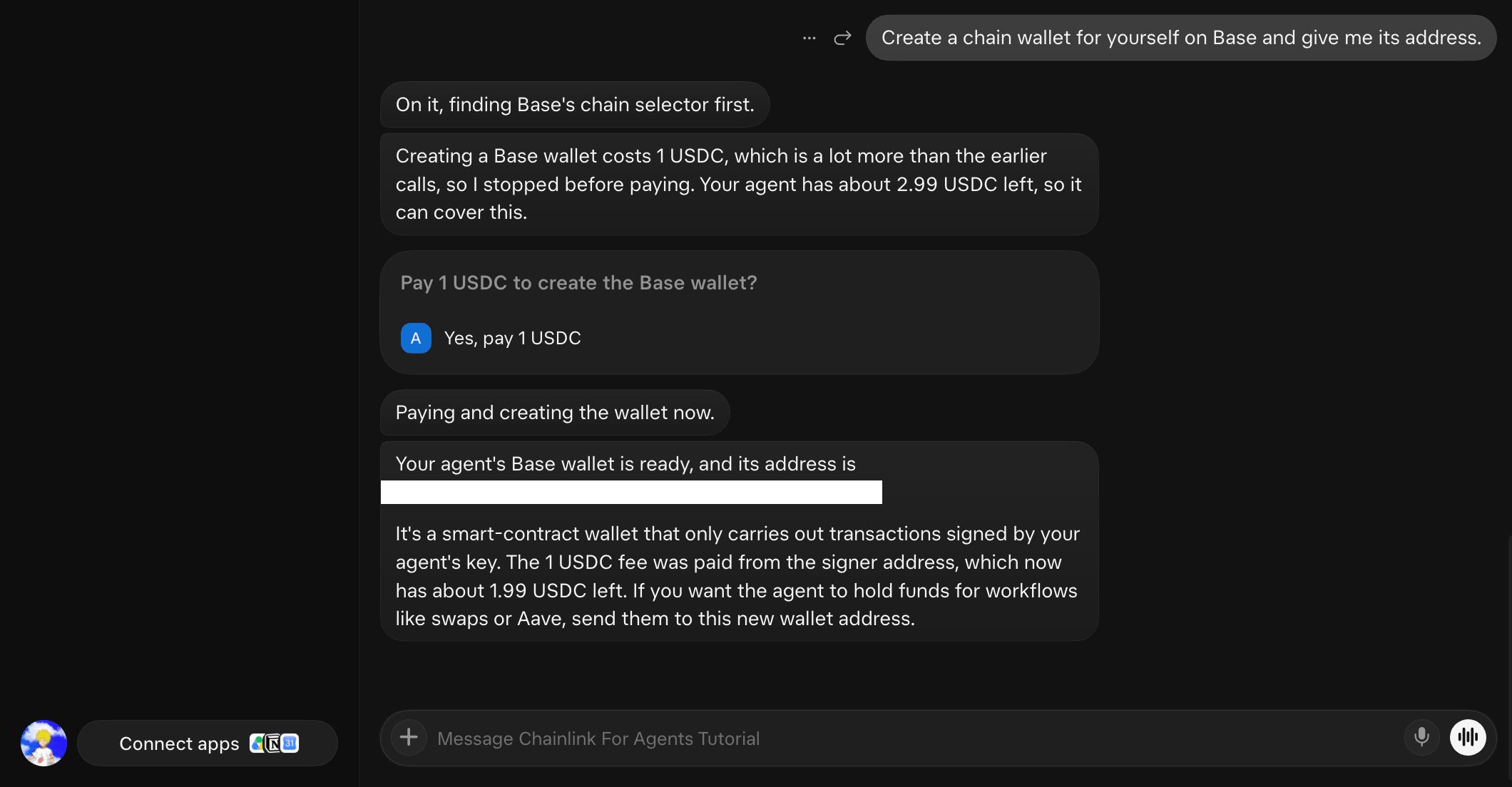
Give this prompt to your agent to create a fresh, separate chain wallet that it will use to carry out swaps and other onchain operations, bound by the guardrails set up by you in the UI:
Create a chain wallet for yourself on Base and give me its address.
Behind the scenes, Chainlink deploys the wallet contract on Base, and the agent pays a one-time fee for that deployment. It's the biggest fee-paying operation in this guide.
Please note that since this is a contract deployment, the agent doesn't actually hold the private key to this account, and thus the address generation is non-deterministic. If your agent creates a new chain wallet on another chain, it will have a different address.
- Send
6 USDCto the freshly created chain wallet onBase Mainnet. You can use BaseScan to track balances.
What's next
- Check the ETH price and swap USDC on Base: ask your agent for a live price, make a small swap, and see a guardrail block a swap.